

What does the first month with a new supply planning system look like?
 Gary Sahota
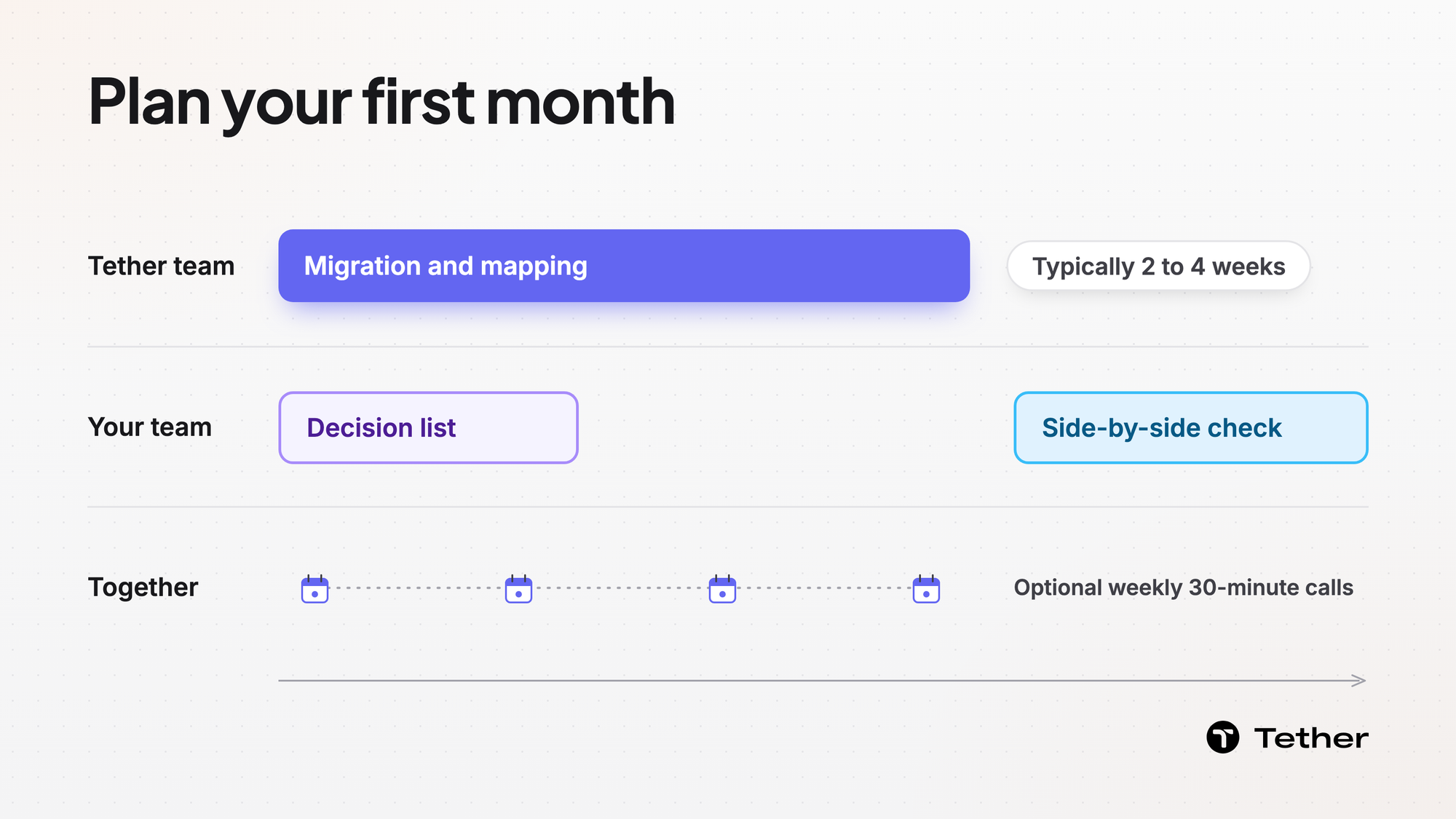
Tether's implementation typically takes 2 to 4 weeks. Tether's team does the data migration and mapping for you with no data cleaning required. Use your team's first month for the planning work instead. Write down the decisions your team makes today, decide who places purchase orders, and compare the new plan with your spreadsheet before you retire it.
Write down the decisions your team makes today
Start the month with a list of the planning decisions your team makes today rather than a list of data fixes.
Most teams that plan in spreadsheets make the same few calls every week. Write each one down with the person who makes it today and how often it comes up.
- What to reorder and how much
- Which supplier gets each order
- When to move stock between warehouses
- Which numbers leadership reviews each week
This list is your record of how planning works now. It also becomes the checklist for retiring the spreadsheet later.
Let Tether's team handle migration and mapping
While Tether's team migrates and maps your data, your team's job is to explain how you plan.
Your planners still hold the context no file carries. They know which supplier terms are firm, which SKUs are being phased out, and which channel gets priority when stock runs short. Have those answers ready.
Every plan includes optional weekly 30-minute calls during onboarding. Use them to work through those questions with Tether's team. Tether's implementation FAQ answers common setup questions.
Decide who places orders before the first drafts arrive
Decide who places purchase orders in the new system before the first draft shows up.
In a spreadsheet, that rule often lives in a chat thread or a hallway conversation. Write it down instead. Name who places orders for each supplier or order size, who covers when that person is out, and who tells finance about large orders.
In Tether's PO management, every purchase order arrives drafted. Your written rule decides who on your team takes each draft from there.
Compare the new plan with your spreadsheet on SKUs you know
Once the new plan is running, compare it with your spreadsheet on a short list of SKUs before you stop updating the spreadsheet.
Pick SKUs your planners know well. A steady seller, a seasonal item, and one with a long-lead supplier make a useful set. If the two plans disagree, find out why before you decide which one is right. The gap often traces back to a supplier term that was entered differently, a rule that lived only in someone's head, or a spreadsheet formula that drifted over time.
Send each gap you cannot explain to Tether's support channel.
Record a baseline for the three-month check
Use the first month to write down where your key numbers stand before the new system changes them.
Tether describes the payoff as measurable value within the first three months. That comparison only works with a starting point.
Record your current fill rate, stockouts, inventory on hand, and the hours your planners spend on the spreadsheet each week. Agree with your CEO on which of those numbers you will report back at the three-month mark.
FAQ
Who on our team should be involved in the first month?
Involve the planner who owns the spreadsheet today, someone who knows your supplier terms, and the person who places purchase orders. A finance lead can join for the baseline numbers.
What should we bring to the first onboarding call?
Bring the decision list, the names of who places which orders, and the SKUs you plan to compare.
Where do questions go once onboarding ends?
They go to the dedicated Slack channel or email that every plan includes for support. Urgent requests get a response within 24 hours.
When can we stop updating the spreadsheet?
Stop for each decision on your list once its owner trusts the new number across a few planning cycles. Keep a frozen copy for reference rather than deleting it.


