

Introducing Tether AI ✨
 Gary Sahota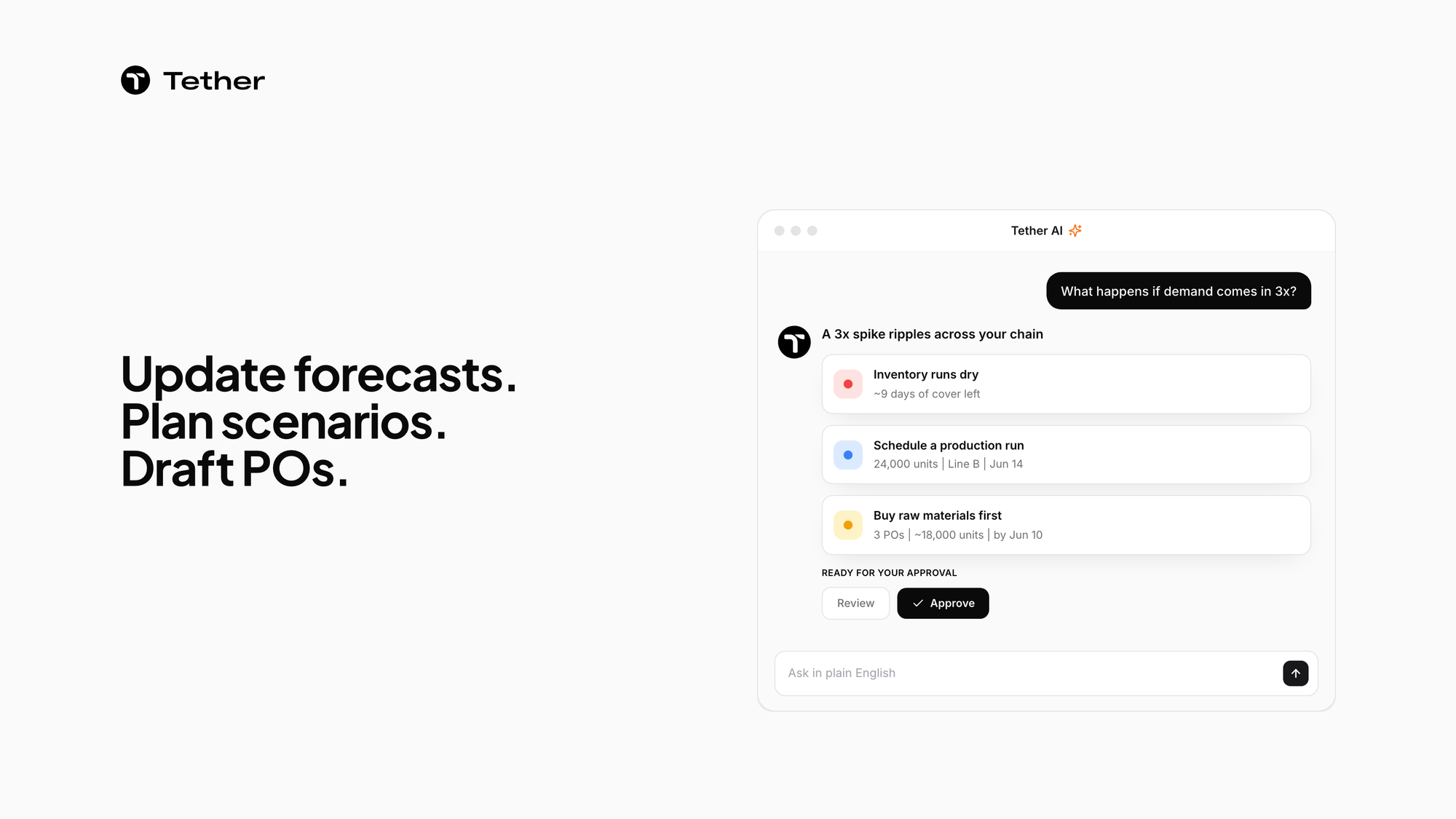
Tether AI is the always-available operations partner inside Tether. Ask it in plain English to update forecasts, plan scenarios or draft POs, and it does the work. In the Tether app, Tether AI drafts POs and other changes and waits for your approval before it applies them, and each change is recorded in a visible edit log.
Ask in plain English
You use Tether AI by asking for what you need. Start with "Tell me what is going on" for a status read, or "What are we going to sell?" for a forecast. It updates forecasts and inventory by chat, drafts POs and fulfills sales orders by chat, and walks you step by step through any task. See every area it covers on the Tether AI page.
Run the what-if first
Tether AI helps you think through a hard call before you commit to it. Ask what a demand spike would do, and it cascades that one question across sales, inventory, BOMs and suppliers. In the demand-spike example on the Tether AI page, the answer comes back as a plan: where inventory runs dry, which production run to schedule and which raw materials to buy first. It also audits its own plan and flags the gap it cannot close, and it simulates the cash-flow consequence before you decide.
Plan demand and keep watch on stock
Tether AI covers the planning work your team does every week. It forecasts demand at any horizon, channel or aggregation level, runs many models in parallel and drafts a consensus forecast that leaves you the final call. It calculates raw materials from finished-goods demand and schedules production runs across multi-step BOMs. For replenishment, it drafts purchase orders the moment coverage hits reorder and respects MOQs, lead times, batch sizes and pallet counts. Read more about purchase order management.
While your team is offline, Tether AI keeps going. It watches every SKU at every warehouse, every hour, and predicts the exact stockout date per SKU, per warehouse. It drafts Monday's POs over the weekend, so you arrive to a queue. When something changes, such as a new warehouse, a new SKU or a new cost, it replans. The inventory management page shows what it tracks.
Work with the systems you already run
Tether AI starts from the data you already have. It ingests any format, including PDF, CSV, Excel and screenshots, with no templates, and maps your data as-is. It connects channels, data warehouses and ERPs, and Tether runs as a planning layer, an ERP replacement or your foundation. For custom integrations, Tether exposes a REST API. See the integrations Tether supports.
You approve what it drafts in the Tether app
Tether AI displays each step on the left of the screen in real time, so you can follow along. Every draft it makes in the Tether app waits for you to approve, edit or reject it. The edit log shows who, what, why, before and after for each change. Approve the routine work in one click and reserve your attention for the calls that matter.
FAQ
Is Tether AI the only way to work in Tether?
You can still click through each screen yourself, and Tether AI gives you a more natural way in. If you can click it, Tether AI can do it through chat. Just ask in plain English to update a forecast, draft a PO or fulfill a sales order, and use whichever route is quicker for the task.
Do we have to clean our data first?
No data cleaning required. Tether AI meets your brand where it is instead of forcing you into a template. It maps many external IDs to one internal SKU, and its health dashboard flags anything misconfigured for your review.
Can I undo a change Tether AI made?
In the Tether app, you can revert any row in one click. Each edit Tether AI drafts there is recorded in the edit log with who, what, why, before and after.
What happens when I ask for a destructive change?
Tether AI asks for clarification before any destructive action, so you can confirm what you meant. You keep the final say in the Tether app as well, where you can approve, edit or reject each draft before it applies.


